Service operations · Live website & operations platform
Next Day Service
Booking through billing, connected.
I mapped and built an appliance repair workflow that connects customer requests, office dispatch, technician fieldwork, and payments in one platform.

01The problem
Customer requests, scheduling, field reports, and billing lived in separate apps and forms. Each job required manual re-entry and handoffs. The public site also had clipped narrow-screen layouts and a booking flow that behaved like a service catalog.
02My ownership
I audited the experience, mapped customer and staff workflows, defined the product and data model, and designed and built the site and platform. I handled launch and handoff, then continued with reviews of the live experience, search visibility, and analytics.
03Key decisions
Decision 1
Connect the request to one shared record.
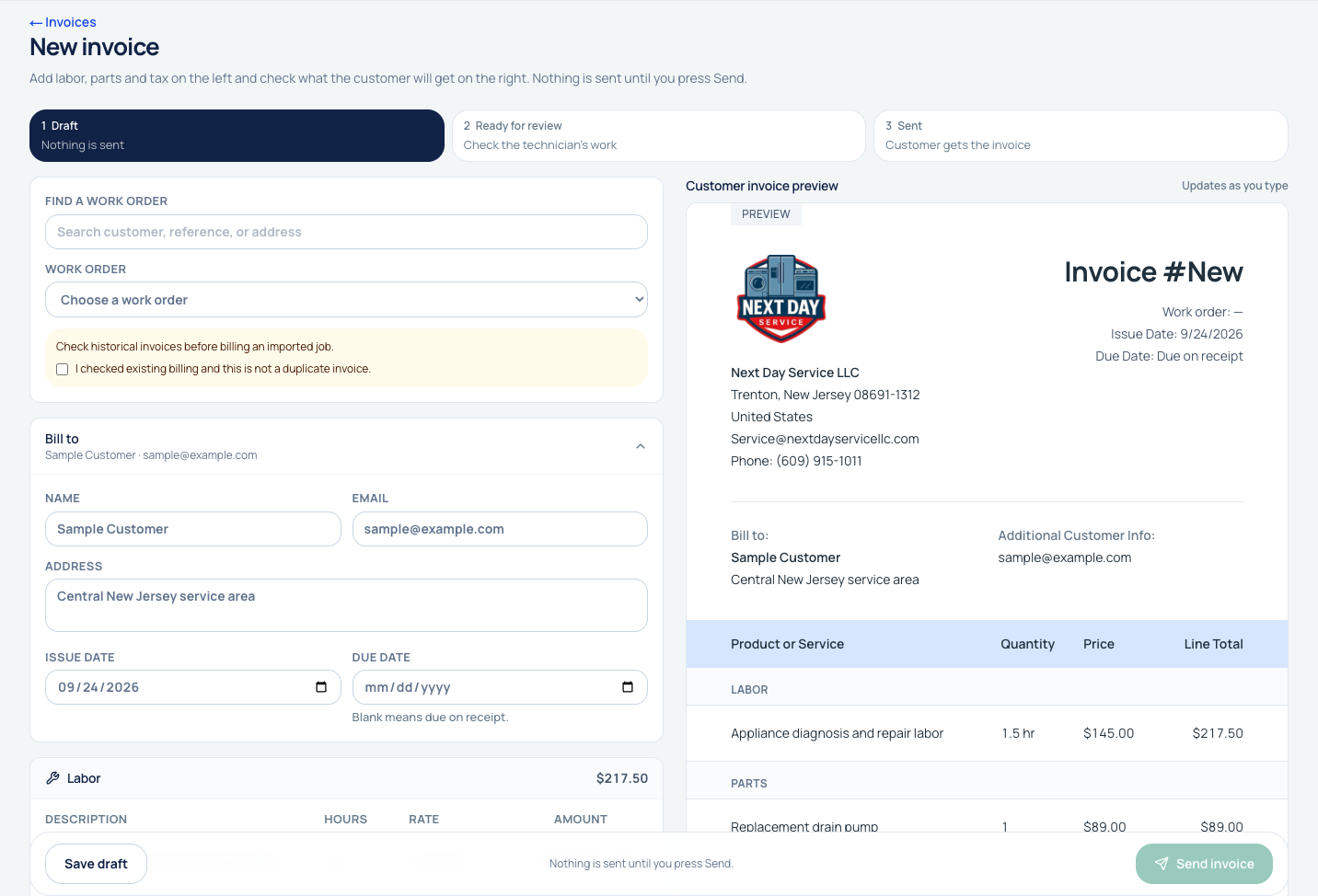
Online booking creates a work order. Customer details, messages, reports, invoices, and payments follow that record through admin, office, and technician views, reducing the need to move job information between disconnected tools.
Decision 2
Design around the office and field workflows.
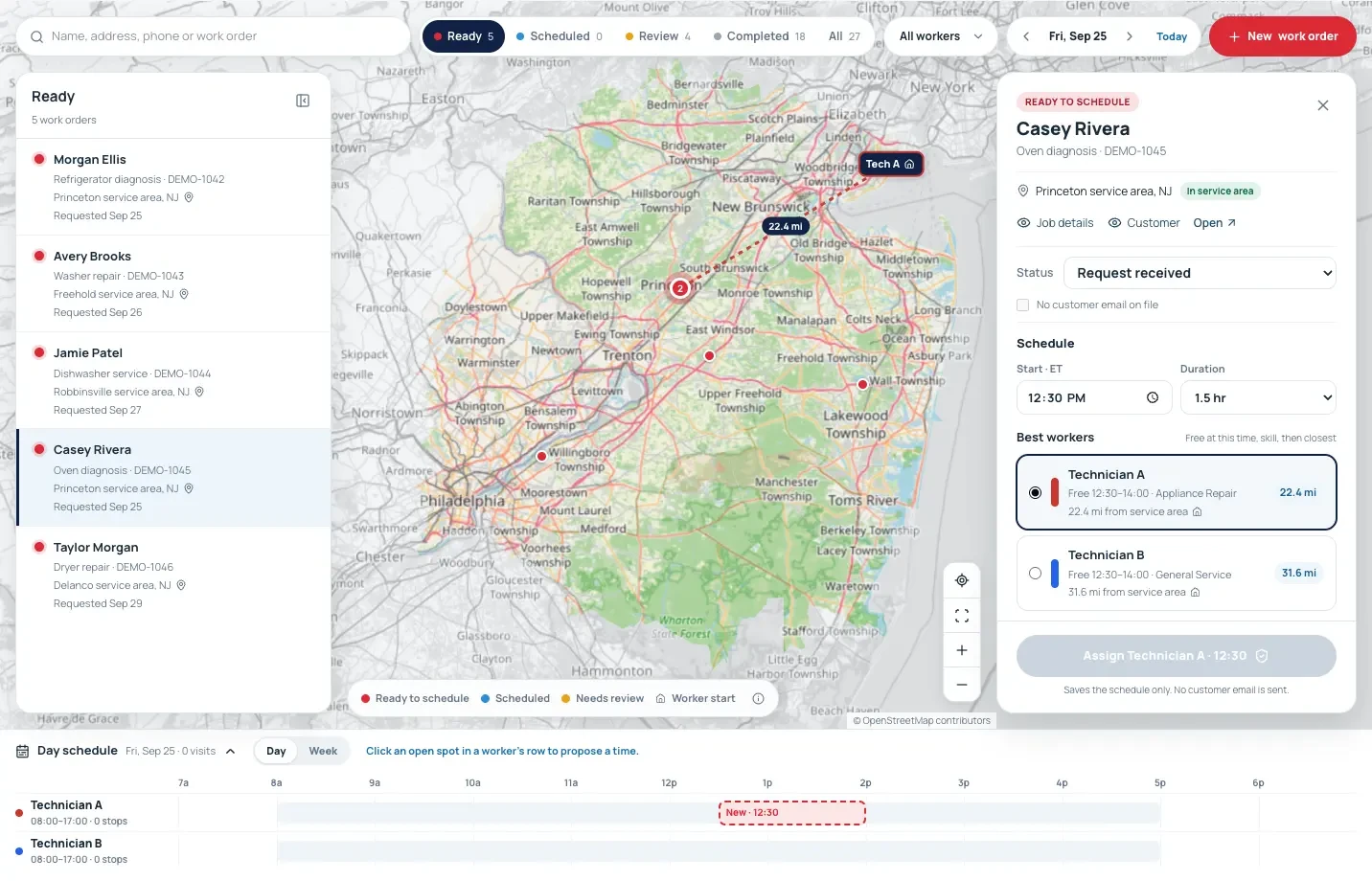
The office schedules from a dispatch map and work-order queue. Technicians use phone and iPad views for jobs, photos, parts, timesheets, and customer signatures. The same repair can move between roles without each person assembling the context again.
Decision 3
Treat payment correctness as part of the service.
Square payment updates are verified, deduplicated, and reconciled. Background work retries after failures so communication and payment state can stay aligned with the repair record.
04Outcomes & next question
- A live public website connects online booking to the operations platform.
- Customer, admin, office, and technician views cover the request-to-payment workflow.
- Square synchronization, customer communication, and launch monitoring support the running service.
Explore the customer and office workflows
Walk through the redesign
Follow a customer from arrival to an appointment request. Drag the divider or use the arrow keys to compare at your own pace.
 BeforeAfter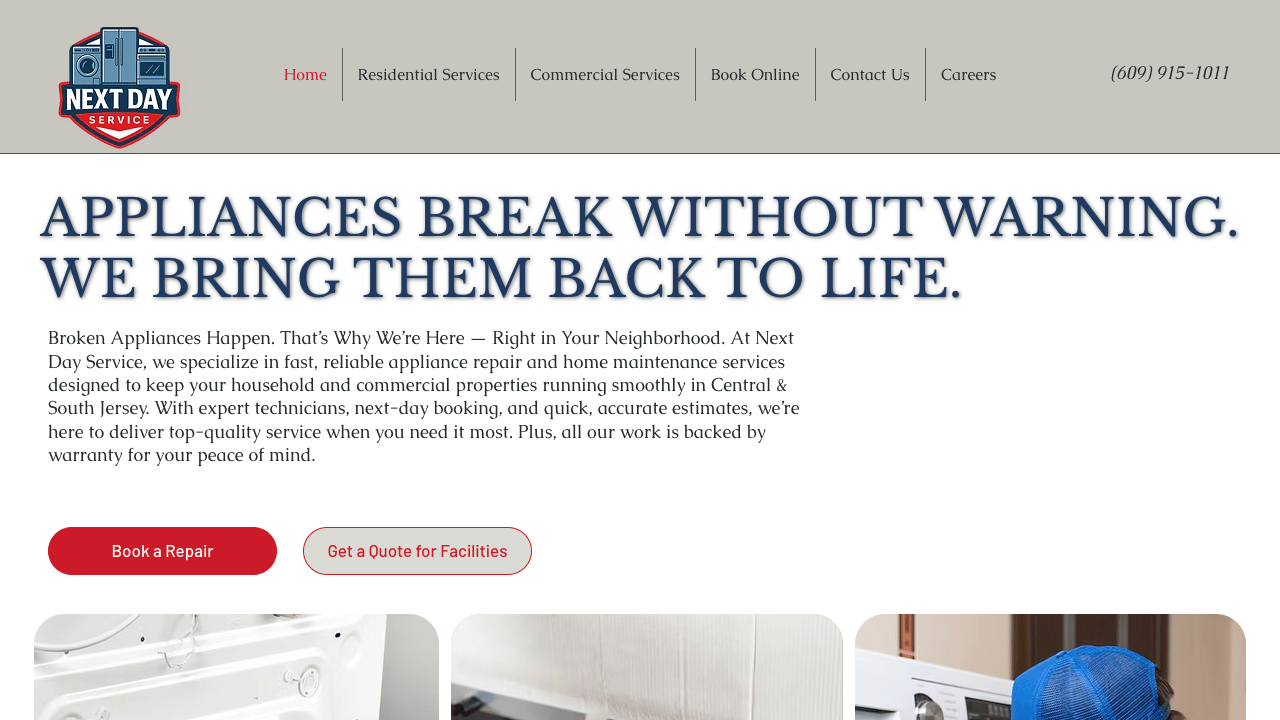
After the appointment
The redesign adds a self-service status path. Customers can check a repair with their work order or invoice number and booking phone number.

Inside the owner workspace
Dispatch, invoice creation, and the office inbox. Pick a view to see it.
Technical details
TypeScript · React · Next.js · Node.js · PostgreSQL (Supabase) · Tailwind CSS
- Protected roles
- Server checks separate admin, office, and technician access, backed by database policies.
- Durable background work
- A transactional event log and Postgres queue coordinate downstream work, with retries and dead-letter handling.
- Payment reconciliation
- Signature checks, deduplication, and nightly reconciliation protect Square payment updates.